The Query Results screen allows an enhanced view of a query built in Query Builder. There are a few use cases:
- When in Query Builder, the Query Results screen can be launched to enhance the view of the query
- A new query can be viewed through the 'Open Query' pop-up
- The Query Results screen can be tied to workflows to support exception review and/or reporting management
- Query results field values can be mass-updated
Query Results Screen Sections
The Query Results screen has two main sections: the toolbar and the grid details.
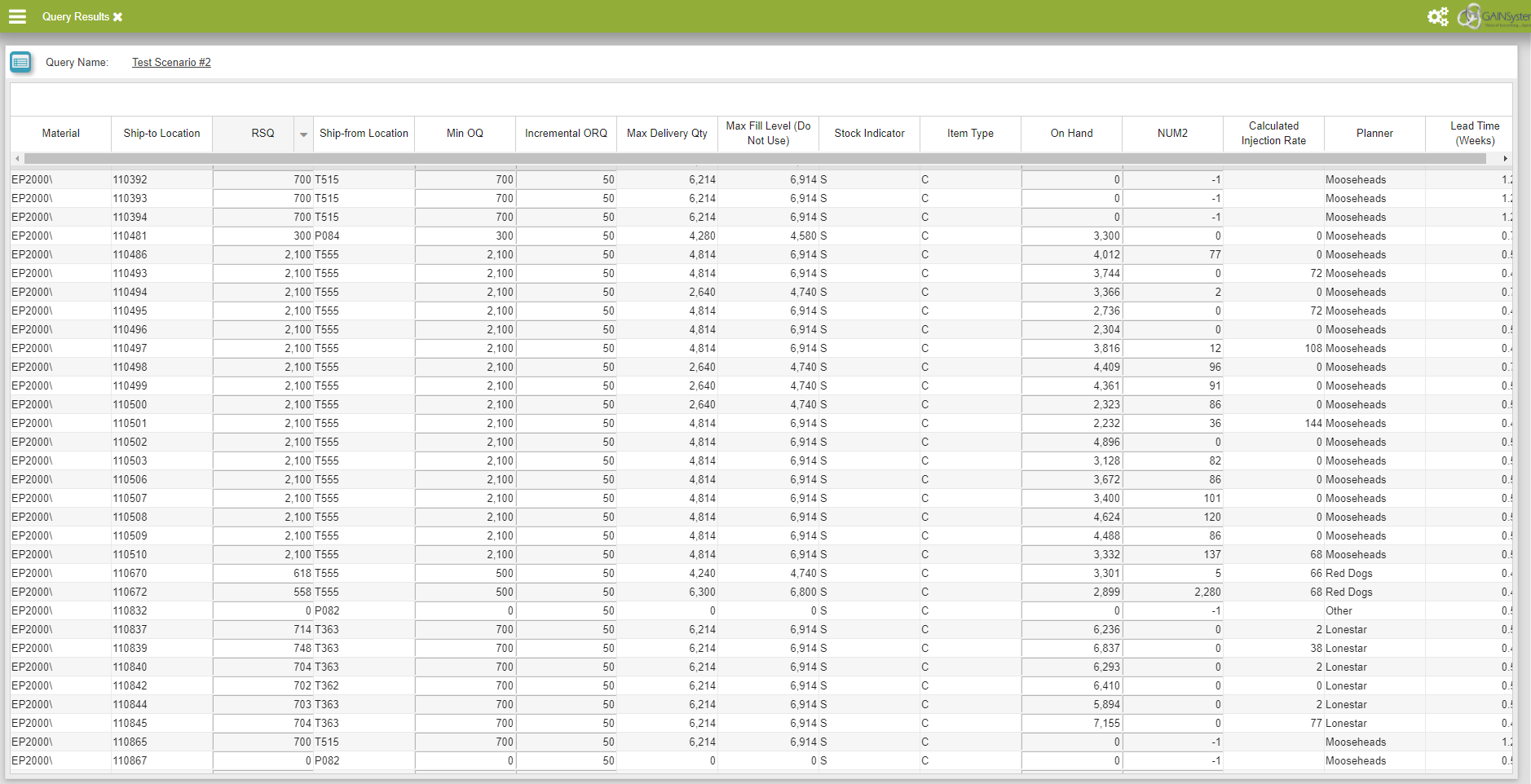
Query Results
Toolbar
This section allows for a user to retrieve another pre-existing query via the 'Open Query' pop-up and to display the name of the currently retrieved query.
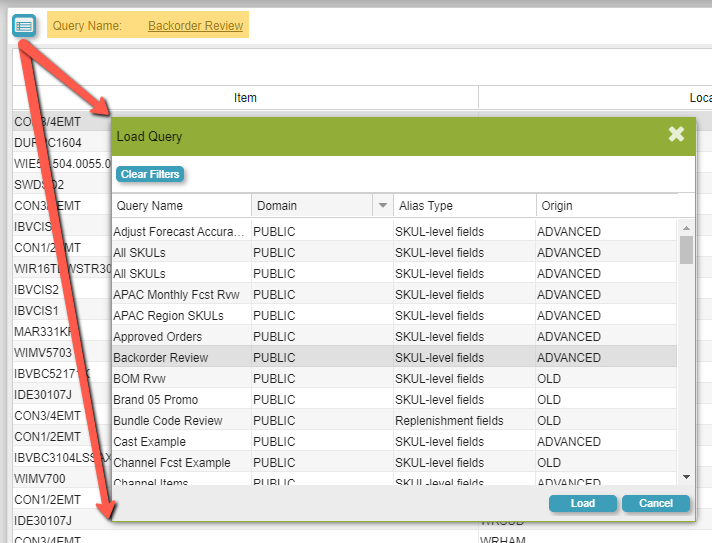
Toolbar Pane
Grid Details
To populate this grid, a user could either 1) execute the query in Query Builder and then in parallel open Query Results or 2) retrieve an existing query from the 'Open Query' pop-up as mentioned above. Based on which fields a user specifies as visible in the query via Query Builder, the same fields will appear in the grid details portion of this screen. It is possible to perform sorting mechanisms (Ascending, Descending) on the visible fields present in the grid.
Lastly, the Query Results screen can be used as a Target Assembly for workflow configurations. To support this, please ensure that Query Results is accessible and modify the 'GAINS Portal Configuration' pop-up accordingly.